
Want to learn how to get clients from your videos?
Check out my FREE Training: The Art of the 5 Minute Video
Whether you’re creating your next lead magnet, video sales letter, micro-course or landing page, this training will set you up in the art of the 5-minute video.
(Yes, it’s three 5-minute videos!) Get the FREE Training >
I’ve been watching a lot of people go live, but without this one live streaming hack, there’s this one thing that’s just wrong with their videos.
I’m doing it at the start of this video, and I’m wondering if you can take a look at what I’m doing and tell me what’s wrong with this picture?
If you can tell what’s wrong, put it in the comments below…
(Hint: can you read the words on my T shirt?)
Here’s the deal.
A lot of people go live on Facebook and they’re using the selfie-facing camera, which is the one that’s aimed at yourself, and when you do that, that default settings for that camera is to have everything flipped around backwards.
You’re backwards!!
This is especially disorienting when someone is going live while they’re driving because it looks like they’ve moved to the U.K. and now they’re driving from the right side of their car…
And if you have writing on your shirt, or if you want to hold up a sign, or if you have a big logo behind you – all of that is going to be backwards.
Here’s the solution…
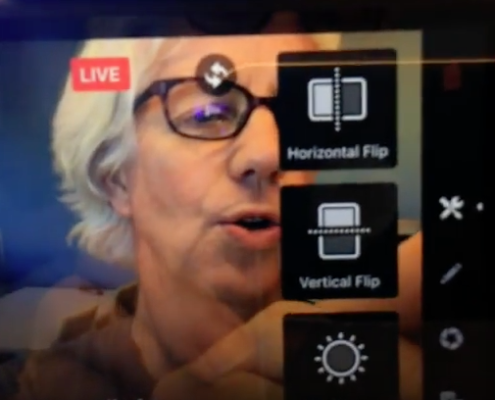 When you’re getting ready to go live with the Facebook app and you open up the app – you can see a little tiny ‘wand’ icon in the top corner of your screen. Press on the wand and you open a narrow menu which has four icons. The top menu icon is a little wrench. Press on that and you’ll open a second menu which has ‘horizontal flip’ as the top choice. Press on ‘horizontal flip’ and your image will right itself!!
The next time you go live make sure you press on the wand and then press on the wrench and then press on ‘horizontal flip’ and you will not be in the land of backwards.
Want to learn how to get clients from your videos?
Check out my FREE Training: The Art of the 5 Minute Video
Whether you’re creating your next lead magnet, video sales letter, micro-course or landing page, this training will set you up in the art of the 5-minute video.

